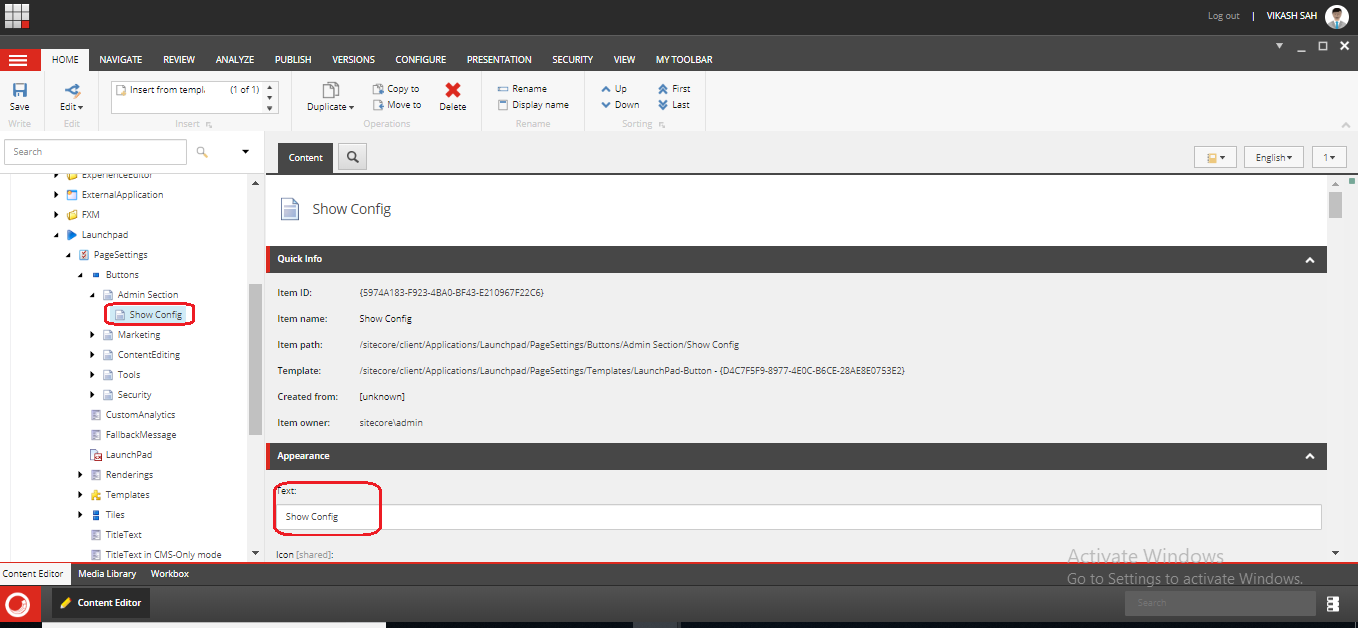
If you are building a Sitecore admin application, you are going to need to link to them from the Sitecore start screen/launch pad.
To create a menu item on the Sitecore start screen:
- Log into Sitecore and switch to the core DB.
- Open content editor and navigate to /Sitecore/client/Applications/LaunchPad/PageSettings/Buttons
- You will see groupings for each of the sections that appear on the start screen/Launchpad.
- Add a new LaunchPad Group using "/sitecore/client/Applications/Launchpad/PageSettings/Templates/LaunchPad-Group" Template and given Title is "Admin Section" as see the below screenshot.

- Add a new Launch Pad-Button item to the "Admin Section" section you want it to appear in.
- Give it a name, icon and link.

- Your button now appears on the start screen

- Now you can click on "Show Config" button and show the config file.